Binary Trading Mobile App
Your binary desk on a phone: your markets, your payouts, your accounts, settled by your own server.
The live demo is the app itself: a 42 MB APK that downloads straight to your Android phone. Install it and sign in on our demo site to try it before you buy.
- Rise/fall contracts on the markets you import, at the payout you set
- Four more types already built: higher/lower, touch, call/put and turbo
- Eight expiries live out of the box, from one minute to one hour
- Practice holds nothing and skips the KYC gate — verify later, trade today
- One save on the binary settings screen opens the desk and its practice mode
- A live stake is held on the same spot wallet your website uses
- Early cash-out at a fee you choose, stepped by the time remaining
- Contracts settle themselves at expiry; a sweep catches anything missed
- Concurrent, daily and cooldown limits per user, all on your numbers
- A retry on a dropped connection returns the order, never a second one
- Positions land as PENDING, WIN, LOSS, DRAW or CANCELED, same as the web
- Three risk presets to start from: conservative, balanced or aggressive
- White-label build: your name, your icon, your App Store and Play listings
Inside Binary Mobile
The binary desk, in a pocket
Binary trading is already in the core. This is the app that puts it in a pocket — the markets you imported, the payout you set, the expiries you enabled, and settlement that runs on your server whether the phone is awake or not.
In detail
Binary trading already ships inside Bicrypto. This is the app that puts it on the device your customers actually trade from — under your name, on the App Store and Google Play, driving the desk you already run.
How it works
The app is a client, not a second platform. It signs in against your existing install and talks to the same binary endpoints your website does, so a contract opened on a phone is the same row, in the same table, against the same wallet as one opened in a browser. There is nothing new to host and no second set of balances to reconcile. Change a payout, add an expiry or close the desk in the admin and the app follows, because the app never had its own copy of any of it.
What the desk behind it can run
| Contract type | Ships as |
|---|---|
| Rise / fall | enabled |
| Higher / lower | off — one switch |
| Touch / no touch | off — one switch |
| Call / put | off — one switch |
| Turbo | off — one switch |
Eight expiries are enabled out of the box, from one minute to one hour. Payout is set per contract type and then adjusted per expiry on a cascade you control — shorter contracts pay more, longer ones pay less, and every number in that ladder is yours.
What operators control
- The payout on each contract type, and the adjustment applied at each expiry
- Whether practice mode exists at all, and whether the desk is open for business — both are stored switches, and a fresh install has neither, so the desk ships closed until you save that screen once
- Early close: on or off per type, with the fee stepped by the time remaining
- Per-user throttles — open contracts, contracts per day, seconds between them
- Three presets to start from: conservative, balanced or aggressive, then your own
- Which markets exist at all, and the minimum and maximum stake on each one
What your customers get
- Practice mode that holds nothing and risks nothing, on the same screen as live
- Early cash-out on an open contract, priced by your rules, not by a support agent
- Positions that land as PENDING, WIN, LOSS, DRAW or CANCELED — same words as web
- Settlement that happens without them: the desk closes every contract at expiry
The desk needs a price feed and the core does not include one. Binary markets are imported either from a licensed exchange provider — Binance, KuCoin or XT — or from the Ecosystem addon's own markets, so budget for one of those alongside Bicrypto. Two more things stand between a fresh install and a first trade. The desk ships closed: the master switch and the practice switch are settings rows nothing seeds, and the order route treats a missing row as off, so open Admin → Finance → Binary and save once — that writes both, and every payout, expiry and limit described above is already at its shipped default. And publishing under your own brand means your own Apple and Google developer accounts.
Practice and live are one switch apart
The app carries the same practice/live switch the desk does, and the difference is not cosmetic. A practice contract never locks a wallet, never moves a balance and never reaches the verification gate — the code takes the wallet lock, the hold and every settlement credit only when the order is real money. That is what lets a brand-new signup trade on day one and verify later, and the practice switch is on by default the moment you open the desk.
Open the desk before you launch. `binaryStatus` and `binaryPracticeStatus` are stored switches, nothing seeds them, and the order route reads a missing row as off — so a fresh install answers every contract with "Binary trading is currently disabled" until you save Admin → Finance → Binary once, which writes both. After that, turning practice off closes that door for everybody. A live contract also runs your KYC feature rules, which decide nothing until KYC enforcement itself is switched on, and that ships off.
Customers can close early — you decide what it costs
Early close ships enabled, and the price of it is a number you own: a straight percentage of the stake, stepped by how much time is left. The defaults take 5% with more than a minute to run, 10% in the last minute, and refuse the request outright inside the final thirty seconds. A customer can take money off the table; they cannot take it off once the outcome is already obvious.
It is set per contract type. Rise/fall, higher/lower and call/put ship with early close on; touch/no-touch and turbo ship with it off, because a touched barrier cannot be untouched and turbo is too short to price.
A dropped connection cannot buy the same contract twice
Phones lose signal mid-tap, and a trading app that answers by placing a second contract is a refund and a support ticket. Every binary order has to carry a request key — the endpoint refuses one without it — and a repeat of that key hands back the order that already exists instead of opening another. Two more nets sit behind it: an identical order inside a five-second window is rejected, and the route is rate limited.
The shipped defaults also cap a user at ten open contracts, a hundred a day and three seconds between them. Every one of those numbers is yours, and none of them applies to practice trades.
Five shapes of contract, and you switch on the ones you want
The desk carries rise/fall, higher/lower, touch/no-touch, call/put and turbo. Rise/fall needs nothing but a price — the line is wherever the market was when the contract opened. The other four carry a ladder: higher/lower and touch/no-touch place a barrier at a distance you set, call/put places a strike, turbo pays per point of movement, and every rung on every ladder carries its own payout percentage. Only rise/fall is switched on when the desk is first saved; the other four are one switch each, in the same screen.
Touch/no-touch and turbo are refused on a market backed by the Ecosystem feed, because settling them needs the intra-period highs and lows only an exchange feed carries. The far barrier on higher/lower also ships off, for the reason the source gives: at that distance it is the easiest level for a customer to win.
The house edge is a number, and it is on the screen
Every payout on the desk is yours to set, and the settings screen turns what you set back into the figure that decides whether the desk makes money: break-even is 100 divided by 100 plus the payout, and whatever is left over a coin flip is your edge. A rise/fall payout of 72% is a 58.1% break-even and an 8.1% edge; raise it to 85% and the screen says the edge has fallen to 4.1% and flags it. One button works it the other way round: give it the edge you want and it writes back the base rate and every rung of the per-expiry ladder underneath it. The rate is frozen onto each contract as it opens, so a change you make later never re-prices a position that is already running.
That edge is arithmetic against a 50/50 outcome, not a measured result — nothing in the platform models how your customers actually trade. Payout is also stepped per expiry and the steps accumulate down the ladder: with the shipped defaults a 72% base pays 78% at three minutes and 58% at an hour.
A contract settles whether or not anything is watching it
Every open contract gets a timer inside your server set to its exact expiry, and that timer is not the only thing behind it. If the process restarts, the sweep that runs at boot re-arms what is still open and settles what expired while it was down; a scheduled job runs every fifteen seconds and picks up anything a lost timer left behind. That sweep prices a contract from the candle its expiry falls in rather than from whatever the market is doing when the sweep reaches it, and one lock per contract means a settlement and an early close can never both pay. The account that placed it is told over the same live connection the app trades on, with an email and an in-app notification behind that.
Settlement needs a price feed that answers. If it cannot, the contract stays PENDING and the next sweep tries again rather than settling on a guessed price — the right call, and it does mean a feed outage shows up as contracts that have not closed yet.
- contract types
- 5
- expiries enabled
- 8
- settlement states
- 6
- risk presets
- 3
Everything included
76 capabilities, in 9 areas
Every item below exists in the source you receive. Nothing here is a roadmap.
Contract types
Five shapes of contract, each with its own ladder of terms.
- Rise / fall on the price at the moment the contract opened
- Higher / lower against a barrier placed away from that price
- Touch / no-touch against a barrier the price has to reach, or avoid
- Call / put against a strike price
- Turbo, paid per point of movement
- Barrier ladders per type, each level carrying its own payout
- Strike ladders for call/put: at the money, near, out of the money
- Turbo payout-per-point held inside a range you set
- Expiry counted by the clock or by tick count
- Each type opened for practice, for live, or for both
Expiries and payout
The house edge, expressed as numbers you own.
- Eight expiries enabled out of the box: 1, 2, 3, 5, 10, 15, 30 and 60 minutes
- A base payout percentage per contract type
- Payout adjusted per expiry, cascading down the ladder
- Payout set per barrier level and per strike level
- Separate touch and no-touch payout multipliers
- Any expiry switched off for one contract type and left on for the rest
- Turbo held under its own maximum duration
- A payout optimizer that derives the ladder from a target house edge
- Three presets to start from: conservative, balanced, aggressive
Opening a contract
What happens between a tap and a position, and every guard on it.
- Practice contracts that never lock a wallet or move a balance
- A live stake held on the customer's own wallet the moment it opens
- Minimum and maximum stake per market
- A request key required on every order — the endpoint refuses one without it
- An identical order inside a five-second window refused
- Ten orders a minute per account, enforced at the route
- A cooldown in seconds between one contract and the next
- A cap on contracts open at once
- A cap on contracts per rolling 24 hours
- A cutoff that refuses an entry too close to expiry
- Expiry times checked against the ladder; an off-boundary time is refused
- Verification checked on live contracts and skipped on practice
Settlement
Runs on your server whether or not the phone is awake.
- Six states: PENDING, WIN, LOSS, DRAW, CANCELED and ERROR
- Every contract settled automatically the moment it expires
- The scheduled sweep prices a late settlement from the candle the expiry falls in
- Barrier and turbo contracts settled on intra-period highs and lows
- A draw returns the stake
- A sweep every fifteen seconds that settles anything a lost timer missed
- Open contracts re-armed when the server restarts
- A lock per contract, so a settlement and an early close cannot both pay
- The settled contract pushed to the account that placed it, as it lands
- An email and an in-app notification on every settled contract
- Ledger entries written for the stake, the win and the loss
Closing early
A customer can take money off the table; you price the exit.
- Early close switched on or off per contract type
- A penalty as a percentage of the stake, set per type
- The penalty stepped by time left: over a minute, over thirty seconds, under
- A per-type cutoff that refuses the request near expiry
- The penalty always derived on your server; a figure sent by a client is ignored
- A touched barrier or a breached turbo barrier refused
- Tick-counted turbo contracts excluded from early close entirely
Markets and prices
Which pairs exist, what backs their price, and what a trade may cost.
- A binary market list you curate, base and quote per market
- The price feed chosen per market: your exchange provider or an Ecosystem market
- Bulk import of every market from your connected exchange
- Add, edit or delete a market by hand
- Trending and hot flags per market
- Markets enabled or disabled one at a time or in bulk
- Minimum and maximum stake per market
- The chart source chosen once for the desk: the Chart Engine addon or TradingView
History and ranking
What a trader has done, and where they stand.
- Contract history, paginated and filtered by type, base or quote
- Per-contract detail on any single position
- A thirty-day summary setting practice against live, and both against the month before
- A leaderboard over daily, weekly, monthly and all-time
- Ranked by profit, by win rate or by number of trades
- A customer's own rank and stats returned on their own
Behind the app, in your admin
Set once on your server, in the core's binary screens; the app reads it and follows.
- Four screens: binary settings, the market list, and market create and edit
- A master switch that closes the desk for everybody at once
- A practice switch, separate from the master one
- Twelve binary permission keys, assignable per role
- Settings validated on save, with warnings for a ladder that gives the house away
- Every order and every cancel written to the admin action log
- A health check covering the database, the duration ladder, the markets and open contracts
Your brand, your listing
What you set before you build, and who owns what afterwards.
- One Flutter codebase, built to an iOS app and an Android app
- Your name, your icon and your colours
- Submitted under your own Apple and Google developer accounts
- Store listings and every future update stay in your hands
- Signs in against the accounts your customers already have
- Talks to your own server — nothing hosted in between
- Licence
- Regular licence — full source for the app project
- Requires
- The Bicrypto core platform. The binary desk, its settings and its markets live there; the app has no backend of its own.
- Built with
- Flutter — one codebase, an iOS app and an Android app
- Talks to
- Your own server, over the same binary endpoints and the same live order channel the web desk uses
- Desk surface
- 24 binary endpoints — 12 a customer's client calls, 12 behind the admin panel
- Admin surface
- 4 screens: binary settings, market list, market create, market edit
- Access control
- 12 binary permission keys, over the platform's own roles
- The desk itself
- 5 contract types, 8 expiries enabled, 6 settlement states, 3 presets
- Settlement
- In-process timers at expiry, with a 15-second scheduled sweep behind them as the backstop
- Works with
- Copy Trading can replicate a leader's live binary contracts to followers, and the Binary AI Engine can manage a symbol and cap what a single contract may carry. Both are optional and licensed separately.
- It needs a price feed
- Binary markets are imported from a licensed exchange provider — Binance, KuCoin or XT — or from the Ecosystem addon's own markets. The core includes neither, so budget for one alongside it.
- The desk ships closed
- The master switch and the practice switch are stored settings that nothing seeds, and the order route reads a missing row as off. Save Admin → Finance → Binary once; that writes both and every payout, expiry and limit is already at its shipped default.
- Touch and turbo need an exchange market
- Those two types are refused on a market backed by the Ecosystem feed, because settling them needs the intra-period highs and lows only the exchange feed carries. The other three types run on either.
- It is a trading app, not an admin one
- Payouts, expiries, markets, presets and the switches are set in the platform's own admin panel. Nothing in the app configures the desk.
- Three settings are stored but not enforced
- The binary settings screen edits a daily loss limit, a win-rate alert and a global cancellation buffer. All three are saved; nothing in the backend reads them. Treat the per-user caps, the entry cutoff and the per-type early-close rules as the controls that actually bind.
- You publish it
- Developer accounts, store listings, screenshots and review are yours. Nothing in this product submits, signs or hosts an app on your behalf.
Loved by customers
Reviews
No reviews yet. Own it? Share your experience.
Own this product? Sign in to leave a review.
Better together
Bundles containing this product
Get Binary Trading Mobile App for less as part of a bundle.
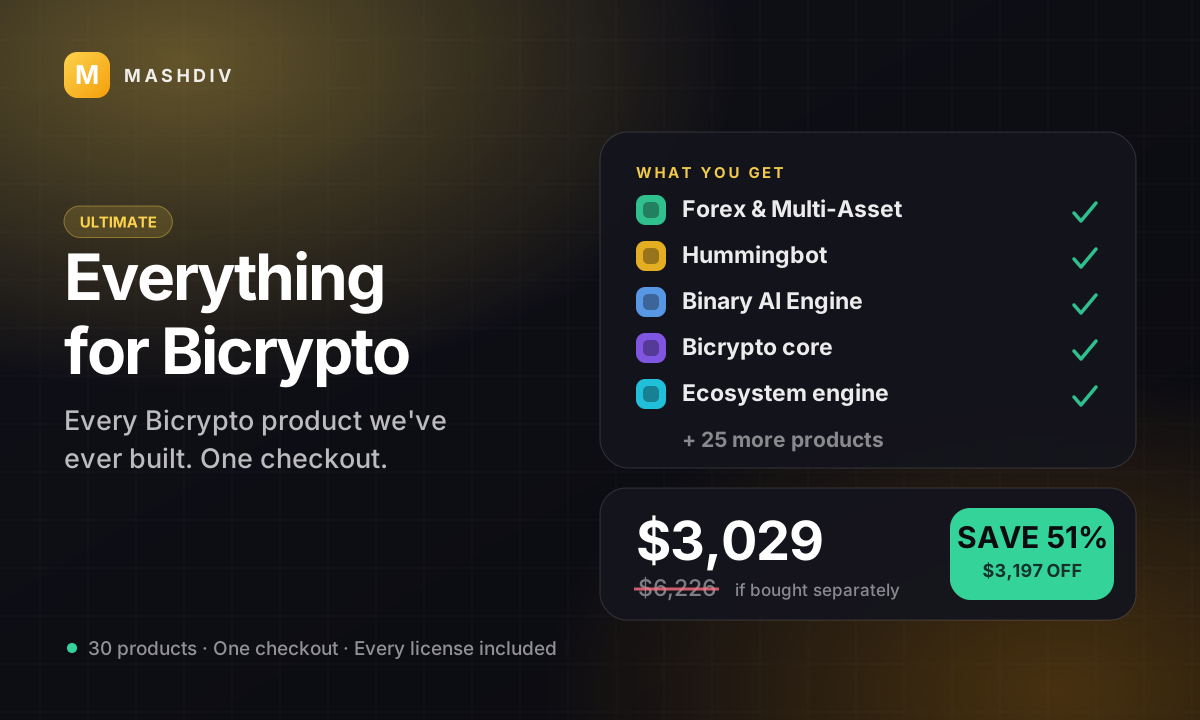
 ULTIMATE
Everything for Bicrypto
Every Bicrypto product we make — every addon, every chain, both apps, one price.
- Forex & Multi-Asset Trading
- Web3 Wallet & On-Chain Trading
- Instant Convert
- Hummingbot Connector
- + 30 more
Keep exploring
Related products
 Mobile
Bicrypto Mobile App
Your exchange as a phone app — same accounts, same balances, same orders, under your own brand.