E-commerce for Bicrypto
Run a storefront inside your platform where customers spend the wallet balances they already hold.
- Storefront, cart, wishlist and order history on your own domain
- Checkout debits FIAT, SPOT or ECO wallets — no processor, no chargeback
- One atomic checkout: every line clears or nothing at all is charged
- Physical and downloadable products, with stock enforced on the physical ones
- Digital orders complete and pay you the instant checkout commits
- Per-order licence keys and download links, streamed behind a session check
- Guarded order states where cancelling refunds the buyer and restocks
- Refunds reverse your revenue and the tax pass-through in one transaction
- Per-product discount codes: percentage on the form, fixed and free-shipping by API
- Flat store-wide tax and shipping, plus shipment records buyers can track
- Verified-purchase reviews only, with an admin moderation queue
- Store dashboard with revenue, orders and customers over any date range
Inside E-commerce
A shop that spends the balances already on your platform
You publish a catalogue, customers browse a storefront on your own domain, and they check out against a wallet balance they already hold with you. Physical goods land in a fulfilment queue; digital goods complete on the spot and wait for you to attach the key.
In detail
E-commerce turns your Bicrypto install into a shop. You publish categories and products, customers browse a storefront at /ecommerce on your own domain, and they check out against a wallet balance they already hold with you. Physical goods drop into a fulfilment queue; downloadable goods complete on the spot and wait for you to attach the key or file.
How it works
The cart lives in the customer's browser, so nothing is reserved until they pay. Checkout is one atomic request: every line is revalidated, stock is decremented under a conditional update, the cart is grouped by wallet type and currency, each wallet is locked in a deterministic order, and the aggregated total is checked before a single coin moves. One order row is written per product, and shipping is charged once across the whole checkout, not once per line. The money splits in the same transaction: the discounted subtotal is booked as your revenue, while shipping and tax are credited separately as a pass-through and never as profit — you still owe the carrier and the tax authority.
The real configurable surface
| Surface | What you actually get |
|---|---|
| Product types | PHYSICAL and DOWNLOADABLE — stock enforced on the first, ignored on the second |
| Wallet types | FIAT, SPOT and ECO; ECO needs the Ecosystem addon |
| Order states | PENDING, COMPLETED, CANCELLED, REJECTED, with a guarded transition table |
| Discounts | PERCENTAGE, FIXED, FREE_SHIPPING — scoped to one product, one use per customer; the admin form creates the percentage kind, the other two are a POST |
| Shipping | one flat fee per checkout, plus shipment records with a four-state load status |
| Tax | one flat store-wide percentage, applied to the discounted subtotal |
| Settings | eight keys, of which five are read by code |
What operators control
Eleven storefront screens and ten admin screens, on the database and process you already run — no second service, no extra port, eleven new tables. Products carry price, currency, wallet type, inventory, a cover image and a gallery. In the order queue the status change is the refund, and a paid order cannot be deleted until it has been reversed. Plus per-product discount codes, trackable shipment records, review moderation, and a dashboard over any date range.
There is no card checkout. Buyers spend an existing wallet balance funded through core's normal deposit flow, so a customer who has never funded a wallet cannot buy. There is also no automatic digital fulfilment: a downloadable order completes and pays you, but nothing reaches the buyer until you attach the key or file yourself. Two smaller things worth knowing before you write your first promotion. The discount create form carries the product, the code, the percentage, the end date and the switch — `type`, `amount`, `maxUses` and `validFrom` are real columns the checkout honours but have no field, so a fixed-amount, free-shipping or usage-capped code is one POST to the discount endpoint. And type every code in capitals: the storefront upper-cases whatever a customer enters before it looks the code up, so a code saved lower-case is simply never found, with no warning at either end.
Customers pay from a wallet they already hold
Checkout groups the cart by wallet type and currency, locks each wallet in a deterministic order, and checks the aggregated total before it debits anything. There is no processor in the middle — no gateway fee, no chargeback, no settlement delay — because the money moves between two rows of your own database inside one transaction. FIAT and SPOT wallets come from the core platform; ECO wallets need the Ecosystem addon.
There is no card field on the checkout page. A customer with an empty wallet is shown a Deposit button into core's normal deposit flow, so anybody who has not funded a wallet cannot buy — plan your traffic around that before you launch.
Digital sells itself; delivering it is your minute
A downloadable order is written COMPLETED and paid the instant checkout commits, and nothing is attached to it. Licence keys, download links and delivery instructions live on the order item, and you fill them in per order — key, file, or both. A file hosted on your own box is served through a route that re-checks the session, the buyer's ownership and the order status on every single fetch, so a link that leaks is useless to whoever receives it.
There is no automatic digital fulfilment and no per-product default. Until you attach something the buyer's download panel says nothing has been attached — on an order that has already taken their money. It is the most common support ticket on a new store.
Cancelling is the refund, and it is one guarded action
PENDING is the only state with transitions, and it moves to COMPLETED, CANCELLED or REJECTED. Cancel and reject both reverse the sale in one transaction: your revenue leg debited back, the shipping-and-tax pass-through debited back, the buyer credited exactly what left their wallet, and physical stock returned to the shelf. The payment is located before the status changes, so an order can never end up cancelled with the money still gone.
Refunds are all-or-nothing — no partial refund, no per-item refund, no restocking fee. COMPLETED is terminal from the admin screens, so mark an order complete when it has shipped, not when you start picking it.
A promotion is one code against one product
A discount code is created against a single product and is refused on every other line in the cart. Four checks stand between the code and the price: it has to be active, inside its validity window, under its usage cap and unused by that customer — and the cap is counted with the discount row locked inside the checkout transaction, so two simultaneous buyers cannot both take the last use. Checking a code never consumes it, because the usage record is written when the order is placed and only then. The discount comes out of your revenue rather than out of tax, and the tax is computed on the discounted subtotal, so a ten per cent code lowers what you collect on VAT as well as what the buyer pays.
The create form makes percentage codes. Fixed amounts, free shipping and usage caps are real columns the checkout honours, and a scheduled start date is enforced where the storefront checks the code rather than at the till — but none of the four has a field on the form, so they are one POST to the discount endpoint. Type every code in capitals: the storefront looks the row up uppercased, so a code saved as summer10 is unreachable and nothing flags it at creation time.
The dashboard leads with what is waiting on you
The store console opens on the backlog rather than on a chart: orders awaiting fulfilment, how long the oldest has been sitting there, the value held in it, and how many sellable physical products have run out. Those figures are all-time and deliberately not scoped to the range you picked, because a backlog is a fact about the present. Every money total below them is grouped by the denomination it was taken in, priced into USD and only then added, and a currency with no rate is named on the line rather than counted as zero. A metric whose previous window is empty is shown with no trend at all, because a percentage with no denominator is not a hundred per cent.
The range picker offers three windows — last 7 days, last 30 days and last 12 months — and every headline is compared against the immediately preceding window of the same length. The figures are read from the same tables the store writes to on every load; there is no warehouse and no scheduled roll-up, so a very large order history is a query cost.
One consignment moves every buyer on it
A shipment is your own record of a load: reference, shipper, carrier, vehicle, goods type, weight, volume and description, plus your own cost, tax and expected delivery date. Orders are attached to the shipment rather than the other way round, so one courier run carries as many orders as it needs to. It has four states — pending, in transit, delivered and cancelled — and advancing it once changes the status every buyer on the load sees, at the same moment, because their shipments page reads that one row. The cost and tax you record are your figures: nothing puts them on an order, an invoice or a refund.
Every field is typed in. There is no carrier lookup, no rate shopping and no label printing, and the load id is your own reference rather than something a courier will recognise. Weight and volume are bare numbers on the admin form and the customer's shipping page prints them as kilograms and cubic metres, so enter metric or the buyer is told the wrong unit. The fee the buyer pays is a separate store-wide flat amount that a shipment record never changes.
- screens, storefront and admin
- 21
- tables, no second database
- 11
- order states, guarded
- 4
- wallet types accepted
- 3
Everything included
112 capabilities, in 11 areas
Every item below exists in the source you receive. Nothing here is a roadmap.
Catalogue
What you publish, and the shape a product is allowed to take.
- Categories with a cover image, an active switch and generated slugs
- Two product types: physical and downloadable
- Per-product price, currency and wallet type — FIAT, SPOT or ECO
- Cover image plus a gallery of up to twelve more images
- Unique product slugs, generated from the name when you leave them blank
- Integer stock per product, enforced on physical goods and ignored on digital
- Active/inactive toggle that pulls a product from every storefront listing
- Images restricted to platform-hosted upload paths
- Soft delete with restore across products, categories, orders, reviews, discounts and shipments
- Bulk create, edit, status change and delete on every catalogue table
The storefront
The shop your customers see, on your own domain.
- Public landing page assembled from live catalogue data, not configured
- Featured products, best sellers, new arrivals, top rated and active deals
- Categories with product counts, plus a recent-reviews strip
- Catalogue search across product names
- Category, price-ceiling and in-stock-only filters
- Sort by price up, price down, rating or newest
- Grid and list views of the same catalogue
- Page size set from the store settings screen
- Product page with an image gallery, a lightbox and a zoom stage
- Related products drawn from the same category
- USD equivalent shown beside a price denominated in anything else
- Storefront navigation that grows as you publish categories
- Ten e-commerce section templates in core's page builder for your main site
Cart and checkout
Everything between an add-to-cart and a debited wallet.
- Cart persisted in the customer's own browser
- Quantity stepper bounded by the product's remaining stock
- Coupon box on both the cart and the checkout page
- Subtotal, discount, shipping and tax quoted before anything is charged
- Checkout grouped by wallet type and currency, one panel per group
- Live balance per wallet, with the shortfall named when a group is short
- Deposit link into core's deposit flow for that exact currency
- Shipping-address step, shown only when the cart holds a physical item
- Address pre-filled from the customer's profile, phone normalised to E.164
- KYC gate asserted before a single wallet is touched
- One atomic transaction — every line clears or nothing is charged
- Conditional stock decrement, so overselling is not possible
- Wallets locked in a deterministic order so concurrent checkouts cannot deadlock
- One order row per product, with shipping charged once per checkout
Orders and fulfilment
The queue, and every action you can take on a row in it.
- Four order states: pending, completed, cancelled, rejected
- A guarded transition table — pending is the only state with normal moves
- Order queue with filters, sort and bulk status changes
- Bulk status refused unless every selected order is still pending
- Per-order screen with details, shipping and invoice tabs
- Shipping address added or corrected from the order screen
- Shipment assignment from the order screen
- Invoice as CSV, as JSON, printed, or shared by email
- Order confirmation and status-update emails on core's notification templates
- In-app notification raised on every purchase
- A paid, unrefunded order cannot be deleted — it names itself and tells you to cancel first
- Customer order history and a per-order detail page
Digital delivery
Licence keys, files, and the door in front of them.
- Downloadable orders written completed and paid the moment checkout commits
- Licence key, download file, or both, attached per order item
- Free-text delivery instructions shown to the buyer alongside them
- Self-hosted files streamed through a route that re-checks session, ownership and order status on every fetch
- External URLs handed over untouched, for anything hosted elsewhere
- A path escaping the uploads root refused, and a missing file reported separately
- Private, no-store caching on the stream
- Attachment scoped to the order in the URL, so a key cannot land on the wrong purchase
- Access that survives a product being withdrawn from sale
- Every attachment logged, behind the same permission that refunds money
Discount codes
Per-product promotions, and the four checks in front of one.
- Codes scoped to one product, unique across the whole store
- Three shapes: percentage, fixed amount and free shipping
- Validity window with a start date and an end date
- Usage cap counted with the discount row locked inside the checkout transaction
- One use per customer, recorded in its own table
- Validation that does not consume the code, so an abandoned cart burns nothing
- A single checkout refused from applying one code to two lines
- A fixed amount clamped at the line it applies to, never carried over
- Tax computed on the discounted subtotal
- Read-only view panel that states the rule in the code's own terms
Shipping
What the buyer is charged, and what you track separately.
- One flat store-wide fee, charged once per checkout containing a physical item
- A switch that turns the fee off entirely
- A free-shipping code that zeroes it for that checkout
- Shipment records: load id, shipper, transporter, vehicle, goods type, weight, volume, description
- Four load statuses: pending, in transit, delivered, cancelled
- Your own carrier cost and tax per shipment, kept off the customer's invoice
- Expected delivery date per shipment
- Many orders to one shipment, so one courier run changes every buyer's status at once
- Per-order address: name, email, phone, street, city, state, postal code, country
- Customer shipments page, scoped by the order join so nobody sees anyone else's
Reviews and wishlists
Social proof you can moderate, and demand you can read.
- Reviews restricted to a product the customer holds in a completed order
- One review per customer per product; resubmitting replaces it
- Rating required, comment optional
- A publish switch per review — only published reviews move the storefront rating
- Admin review queue with a product filter
- One wishlist per customer, holding many items
- Heart toggle on product cards and on the product page
- Admin wishlist screen, as a report on what people save and never buy
The money trail
The rows a sale writes, and what a reversal moves back.
- Buyer debit written as an e-commerce purchase transaction
- Discounted subtotal credited to the platform wallet as store revenue, with a profit row behind it
- Shipping and tax credited separately as a pass-through, never counted as profit
- Every leg carrying its own ledger reference and its own idempotency key
- Cancel and reject reverse revenue, reverse the pass-through, credit the buyer and restock in one transaction
- The payment located before the status changes, so an order cannot end cancelled with the money gone
- A retried half-completed reversal skips the legs that already ran
- Money figures written once at sale time and never recomputed from current settings
- Affiliate rewards fired on the purchase condition when the affiliate addon is running
Reporting
The figures, and the honesty about which of them are comparable.
- Store dashboard over three ranges — last 7 days, last 30 days, last 12 months
- Revenue, orders, customers and units-sold charts
- Every headline compared against the immediately preceding window of the same length
- Backlog masthead: pending orders, their value, the oldest one, and products out of stock
- Top products and recent orders
- An analytics tab on six of the seven admin tables, over six timeframes
- Multi-currency totals priced into USD one denomination at a time
- A currency with no exchange rate named on the card rather than counted as zero
Access and operations
What it takes to run the store, and who is allowed to.
- 36 permission keys across eight resources
- Screen gates and API gates checked separately, so a role can read without acting
- Store settings screen for tax, shipping and page size
- Four named throttles: checkout, downloads, discount checks and review posting
- A checkout throttle that fails closed rather than waving requests through
- An extension licence gate on every storefront and admin route
- Admin actions and storefront calls logged under their own modules
- Eleven tables in the platform's own database — no second service, no extra port
- Licence
- Extension licence, activated in the admin panel against your purchase code. Full source.
- Requires
- Bicrypto core. This is an extension, not a standalone shop — it uses core's users, wallets, KYC levels, notification templates, mail queue and permission system.
- Runs on
- Your existing install. Same database, same backend, no extra process and no extra port.
- Adds
- Eleven tables to the platform's own MySQL schema
- Storefront
- 11 customer screens under /ecommerce
- Admin surface
- 10 admin screens under /admin/ecommerce
- Routes
- 79 handlers — 57 admin, 22 storefront
- Access control
- 36 permission keys over eight resources; three of them have no admin door behind them and grant nothing
- Wallets accepted
- FIAT and SPOT from core. ECO products need the Ecosystem addon, licensed separately — it is a choice you make per product, not a prerequisite.
- Settings
- Five keys that change behaviour: tax on/off, tax rate, shipping on/off, flat shipping fee, page size. Three further display switches are saved but read by nothing.
- Throttles
- Checkout 5 per 15 minutes per customer, downloads 10 per hour, discount checks 20 per minute, review posting on the platform's shared bucket. Fixed constants, not settings.
- Integrates with
- Core wallets and the platform ledger, KYC feature gates, notification templates and the mail queue, admin profit reporting, and the affiliate addon's purchase reward conditions
- No card checkout
- Buyers spend a wallet balance funded through core's normal deposit flow. There is no card field, no gateway and no external payment page, so a customer who has never funded a wallet cannot buy.
- Digital delivery is manual
- A downloadable order completes and pays you, and nothing is attached to it. You add the key or the file per order — there is no automatic fulfilment and no per-product default.
- No product variants
- One row is one price and one stock number. Size and colour are separate products.
- One tax rate, one shipping fee
- Both are store-wide flat values. No tax zones, no per-country rates, no shipping zones, weight bands or free-shipping thresholds.
- No carrier integration
- Shipment records are typed in by hand. No rate lookup, no label printing, and the load id is your own reference rather than something a courier will recognise.
- Refunds are all-or-nothing
- Cancelling returns the whole order. No partial refund, no per-item refund, no restocking fee — and completed is terminal from the admin screens.
- The cart is browser storage
- It is not saved on the server, so it does not follow a customer to another device and clearing site data empties it.
- The discount form makes percentages
- Fixed amounts, free shipping and usage caps are real columns the checkout honours, and a scheduled start date is enforced when the storefront checks the code. None of them has a field on the create form — they are one POST to the discount endpoint.
- Checkout stops when Redis does
- The checkout throttle is the one that fails closed. If the limiter store is unreachable, browsing and downloads keep working and no order can be placed.
Loved by customers
Reviews
No reviews yet. Own it? Share your experience.
Own this product? Sign in to leave a review.
Better together
Bundles containing this product
Get E-commerce for Bicrypto for less as part of a bundle.
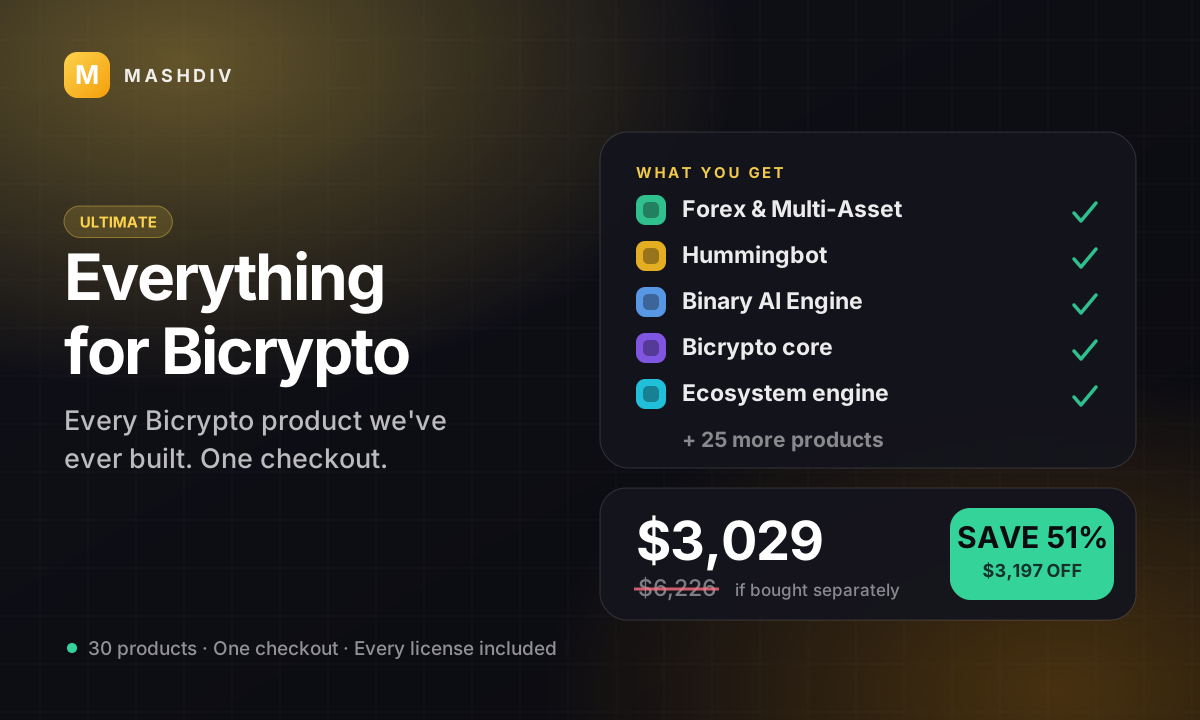
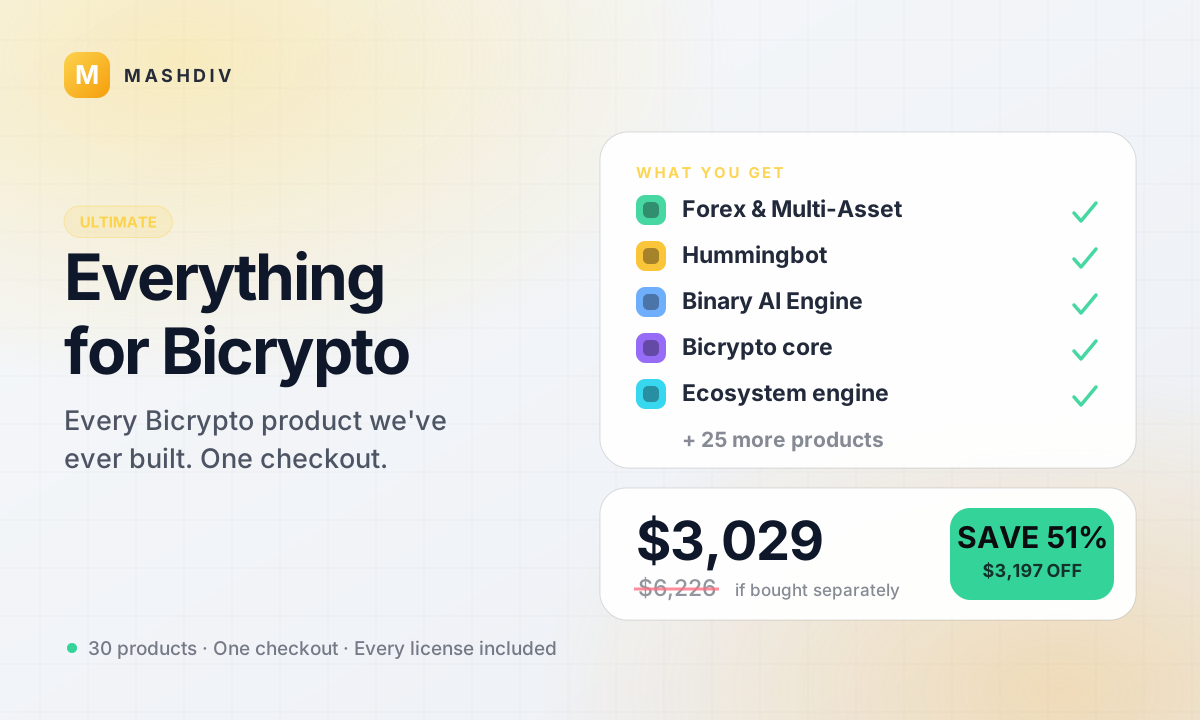 ULTIMATE
Everything for Bicrypto
Every Bicrypto product we make — every addon, every chain, both apps, one price.
- Forex & Multi-Asset Trading
- Web3 Wallet & On-Chain Trading
- Instant Convert
- Hummingbot Connector
- + 30 more
Keep exploring
Related products

 Addon
AddonAI Investments for Bicrypto
A duration-based investment product where you set the term, the rate and the outcome — and fund it yourself.
 Addon
AddonForex Investment for Bicrypto
Run a managed forex desk: you set the plan, the term and the payout, and settlement runs itself hourly.

 Addon
AddonMLM & Affiliate System
Your members bring the next ones, and you pay commission only when a referral actually deposits or trades.