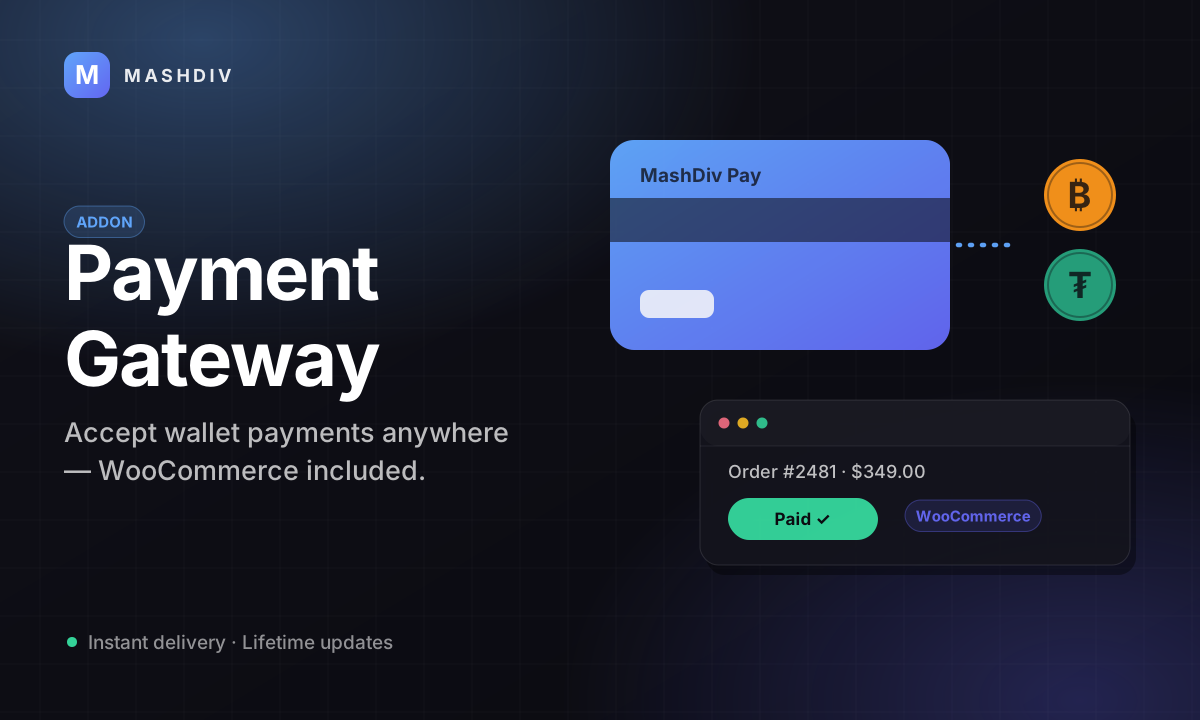
Payment Gateway Addon
Let sellers on your platform take payments — you host the checkout, and every one of them earns you a fee.
- Hosted checkout on your own domain, in five designs you choose from
- One order paid from several of the buyer's wallets at once
- Server-recomputed rates, so a stale quote cannot discount a payment
- Public and secret keys, live and test, up to ten per merchant
- Six permission values per key, an IP allowlist, one-click rotation
- Six signed webhook events, retried five times on a fixed ladder
- Full and partial refunds, from your screen or the merchant's own
- A payout queue — nothing leaves your custody until you approve it
- Per-merchant fees: percentage, fixed or both, set row by row
- The wallet types and currency codes you allow, checked on every payment
- A WooCommerce plugin merchants download from their own dashboard
- Test keys that walk the entire checkout and move no money
Inside Payment Gateway
Run the checkout your merchants send buyers to
A user of your platform registers as a merchant, you approve them, and they create payment sessions from their own site. Their buyers land on a page you host, on your domain, and pay out of the balances they already hold with you — and your fee is credited to your wallet in the same transaction that debits theirs.
In detail
Payment Gateway turns your Bicrypto install into the payment processor for the people already on it. A user registers as a merchant, you approve them, and they create payment sessions from their own site through a REST API. Their buyers land on a checkout page you host, on your domain, and pay out of the balances they hold with you. Your fee comes off every one.
How it works
The merchant calls the payment API with an amount, a currency and a return URL and gets back a checkout link. The buyer opens it and picks one or more of their own wallets — a single order can be split across several, each converted at a rate the server recomputes rather than trusts. On confirm, one transaction debits those wallets, credits your percentage-plus-fixed fee to your wallet, and books the merchant's net to their gateway balance as pending. An hourly job proposes a payout for the unclaimed part of that balance; an admin approves it, and only then does the merchant's real wallet move.
What you can run
| Surface | What ships |
|---|---|
| Checkout | Five hosted designs, plus a preview tool that renders any of them against ten session states |
| Merchant API | Create, read and cancel a payment; create and read a refund; validate a key |
| Keys | Public and secret, live and test, up to ten per merchant, six permission values, IP allowlist, one-click rotation |
| Webhooks | Six signed events, delivered with five attempts on a fixed backoff ladder |
| Storefronts | A WooCommerce plugin merchants download from their own dashboard |
What operators control
- Per-merchant fees — percentage, fixed or both — plus a floor and ceiling on every payment
- The merchant approval queue, a separate verification decision, and an optional KYC gate on registration
- Which wallet types and which exact currency codes a payment may be paid with
- The payout queue: nothing leaves your custody until somebody approves it
- Refunds, full or partial, from your admin screen or the merchant's own dashboard
The buyer has to be a signed-in user of your platform with a funded wallet. There is no card form and no anonymous checkout — this gateway settles out of balances you already hold, which is also why nothing can be charged back. Requires Bicrypto core and a running cron worker: the payout, webhook-retry and session-expiry jobs all live there. Eco-currency payments additionally need the Ecosystem addon. The WooCommerce plugin is the one integration that does not use the webhooks: it sends no webhook URL, so a WordPress order clears on the buyer's return or on the plugin's own hourly sweep, not within seconds of payment.
Your fee is yours the moment a payment clears
The buyer's wallets are debited, your percentage-plus-fixed fee is credited to your own wallet inside the same transaction, and the merchant's net is booked to their gateway balance as pending — a ledger row they can watch and cannot spend. An hourly job then proposes a payout for the unclaimed part of it, and an admin releases it. 2.9% + 0.30 is the shipped default; the split is a field on every merchant's row, so you can price them one at a time.
There is no auto-approval anywhere in the payout path, for any schedule — INSTANT means “proposed within the hour”, not “paid”. That queue needs a human, and the payout, retry and expiry jobs all need the cron worker running.
A real API, so a merchant integrates once and forgets it
Each merchant gets public and secret keys in live and test mode, up to ten of them, every key scoped to the six permission values the gateway recognises, optionally locked to an IP range, and rotatable in one click. Keys are stored as hashes, so the screen can only ever show the last four characters. Six lifecycle events go out as HMAC-SHA256-signed webhooks and are retried five times on a fixed ladder: one minute, five, thirty, two hours, a day.
A WooCommerce plugin ships inside the extension and merchants download it from their own dashboard — it reconciles by reading the payment back on the buyer's return and on its own hourly sweep, because it sends no webhook URL and therefore receives none of those six events. Test keys walk the entire checkout and move no money, so an integration can be finished before a single real balance is touched.
What a payment may be paid with is a switch you throw
Payments settle out of fiat, spot and eco balances, and you enable each wallet type and list the exact currency codes under it. The shipped default is an empty map, which enables nothing: until you configure that tab, every payment is refused with “Wallet type FIAT is not enabled for payments” and the checkout offers the buyer no wallets at all. It is the first thing to set and the easiest to miss.
Eco currencies are priced through the Ecosystem addon's matching engine, so that column needs the Ecosystem licence as well. Fiat and spot need nothing beyond the core.
A gateway fails quietly, so the console is built to notice
The payouts waiting on you are one bar split into three age bands — on time, due soon, overdue — weighted by the number of decisions rather than by their value, with the age of the oldest waiting item beside them. The budget is the platform's shared seven-day withdrawal SLA — a payout is money leaving, so it borrows the same number your withdrawal queue is judged by, read from one table rather than invented here. Underneath, each merchant's payment success rate over the last seven days is set against the seven before, and a fall of five percentage points or more is listed worst first. Only merchants with at least ten decided payments in both windows are compared; when nothing has fallen, the panel says how many merchants it was able to compare rather than claiming silence.
Payouts are the one population the live/test switch does not filter — a payout row carries no test flag, and the queue shows all of them rather than hiding real money behind a display toggle. Every money total on this screen is priced per currency before it is added, and any currency your platform holds no rate for is named on the tile instead of being folded in as zero.
A refund goes back to the wallets the buyer paid from
Full or partial, issued from your payment screen, the merchant's, or their API, against one of four recorded reasons. The buyer's original wallets are credited in their own currencies in the proportions they were charged, so somebody who paid out of two balances is made whole in both. The merchant's pending balance covers the net and your own wallet returns its share of the fee, both inside the transaction that writes the refund; the payment then lands on partially refunded or refunded depending on what is left. Nothing can be refunded twice — the remaining refundable amount is recomputed from the refunds already completed, and anything over it is refused.
The money leaves the merchant's pending gateway balance, so a payout you have already approved cannot fund a refund and the attempt is refused, naming the currency it fell short in. Your fee share is returned only while your own wallet still holds it; the buyer is credited either way. A refund against a test payment writes the record and moves nothing.
A WooCommerce shop takes payments without anybody writing code
The plugin sits on the merchant's own dashboard and your server zips it out of the extension when they ask, so what they install is never a stale copy. They paste in the API URL and a secret key, press Test Connection, and the panel reports which merchant that key belongs to, whether it is live or test, and what it is allowed to do. Orders then hold a status of their own — Awaiting Bicrypto Payment — and settle by two routes that need no callback: the plugin reads the payment back when the buyer returns from the checkout, and again on an hourly sweep of whatever is still outstanding. The cart's line items, shipping, fees and tax travel with the order, and refunds go out from the WooCommerce order screen.
WooCommerce 7.0 or newer, on WordPress 5.8 and PHP 7.4, with Blocks checkout and High-Performance Order Storage both declared supported. The sweep takes fifty outstanding orders an hour, which is also why a buyer who closes the tab still ends up with the right order status. Every other storefront integrates over the REST API.
- hosted checkout designs
- 5
- signed webhook events
- 6
- merchant screens
- 13
- admin screens
- 9
Everything included
132 capabilities, in 12 areas
Every item below exists in the source you receive. Nothing here is a roadmap.
Merchant accounts
How somebody on your platform becomes a seller, and who decides.
- Self-service merchant registration from your own site
- One merchant account per platform user, refused on the second attempt
- Business profile: name, email, phone, website, description, logo, business type and postal address
- An optional KYC gate before anyone may register at all
- Four merchant states: pending, active, suspended, rejected
- A separate verification decision: unverified, pending, verified
- Auto-approval for applicants who passed the KYC gate
- Identity fields freeze the moment a merchant is verified
- A unique URL slug derived from the business name
- Soft delete, so a removed merchant's payments and payouts survive
- Admin merchant queue, filterable by status, verification and mode
- Merchant detail screen with balances, fees, limits and the owning user
Keys and the merchant API
What a developer integrates against, and what you can revoke.
- Public and secret keys, each in live and test mode
- Four keys minted at registration; ten rows per merchant
- Keys issued in matched public and secret pairs
- Stored as hashes — only the last four characters are ever shown again
- Six permission values per key, including a wildcard
- An IP allow-list per secret key, plain address or CIDR range
- An optional expiry date on any key
- Disable a key without deleting it
- One-click rotation, and delete
- Last-used timestamp and last-used IP stamped on every authenticated call
- A validate endpoint reporting merchant, mode, key type and permissions
- Six REST endpoints: create, read and cancel a payment; create and read a refund; validate
Payment sessions
The object a merchant creates, and everything it can carry.
- Create a session with an amount, a currency, a wallet type and a return URL
- Return, cancel and webhook URLs set per payment
- The merchant's own order reference, echoed on every event
- Line items with name, quantity, unit price, description and image
- Customer name, customer email and a billing address
- Free-form metadata carried through to every webhook
- Session lifetime per payment, or a platform default
- Cancel an unpaid session through the API
- Read a payment back by its public identifier
- Eight session states, from pending through to partially refunded
- Test and live payments held in separate, non-overlapping lists
- Buyer IP address and user agent recorded on confirmation
- Lapsed sessions closed out on a schedule, with an expiry event
The hosted checkout
The page the buyer actually sees, on your domain.
- Checkout hosted by you, on your own domain
- Five checkout designs
- A preview tool that renders any design against ten session states
- Preview at mobile, tablet, desktop and full width
- Buyers pay from the fiat, spot and eco balances they already hold with you
- One payment split across several of the buyer's wallets at once
- Per-wallet rate, coverage and a covers-it-in-full mark
- The settlement rate recomputed server-side; the buyer's quote is only checked for staleness
- Merchant name, description and line items shown on the page
- Buyer cancel, returning them to the merchant's cancel URL
- Success and cancel redirects carrying the payment id and the outcome
- Not-signed-in, no-wallet and low-balance drawn as real screens, not errors
Fees, balances and settlement
Where the money sits between the buyer's wallet and the merchant's.
- Per-merchant fee: percentage, fixed, or both
- Your fee credited to your wallet in the same transaction that debits the buyer
- A platform-revenue row written for every payment
- Fee charged in the currency the buyer actually paid in, split across the wallets used
- A merchant balance per currency and per wallet type
- Pending, available and reserved columns on every balance
- Lifetime received, fees, refunded and paid-out counters per balance
- Minimum and maximum payment amount, checked on every create call
- A per-merchant transaction limit, enforced at creation
- A merchant currency list and a platform currency list, both checked
- Balances priced into one USD summary, with unpriceable currencies named rather than swallowed
Payouts
The queue where money leaves your custody, and the switch that says when.
- An hourly job proposing payouts for the unclaimed part of a balance
- Four payout schedules: instant, daily, weekly, monthly
- A payout threshold per merchant
- An approval queue — nothing is released without a human
- Approving credits the merchant's real wallet as an incoming transfer
- Rejecting requires a reason, recorded and quoted back to the merchant
- The queue aged against the platform's shared 7-day SLA, in three bands
- The age of the oldest waiting payout, on the masthead
- Period, gross, fee, net, payment count and refund count on every payout
- Five payout states, with a rejection recorded as cancelled
- The merchant notified when a payout is created, approved or rejected
Refunds
Money back, out of the merchant's balance and your fee.
- Full or partial refunds
- Issued from your admin screen, the merchant's screen, or the merchant's API
- Four refund reasons, plus a private description
- The buyer credited in their original wallets and currencies, in the proportions they paid
- Your proportional fee share returned out of your own wallet, while it still holds it
- The merchant's pending balance debited by the net
- A refund can never exceed what has not already been refunded
- A cross-merchant refund listing
- Every refund carried on the payment record with its own identifier and state
Webhooks
How the merchant's own system learns what happened.
- Six signed events across the payment and refund lifecycle
- An HMAC-SHA256 signature over a timestamp and the raw body
- Signature, timestamp, event and user-agent headers on every delivery
- Five delivery attempts on a fixed ladder, one minute out to a day
- A 30-second timeout per attempt
- A retry job that also adopts deliveries stranded before their first send
- Every attempt stored with its payload and the signature actually sent
- HTTP status, response body and round-trip time recorded per attempt
- Pending, sent, retrying and failed delivery states
- A stable event id, so a receiver can deduplicate a retry
The merchant's own workspace
The screens your sellers live in, without asking you for anything.
- A gateway landing page with a live fee calculator and the currencies you accept
- Merchant dashboard: 30-day volume, payment count, fees and refunds
- A live/test switch across the merchant's own screens
- Payment history with status, amount, currency, order reference and wallet type
- Payment detail, with the refund action on it
- Balances per currency and wallet type, with a priced summary
- Payout list and payout detail
- Settings for the business profile and the currencies and wallet types they accept
- API key screens — issue, edit, rotate and revoke
- A webhook panel with the delivery log and the signing secret
- An integrations screen with the plugin download
- An in-app API reference with copyable examples
Your admin desk
The screens you run the whole thing from.
- A gateway dashboard covering merchants, payments, volume and the payout queue
- Volume and fees broken out per currency, never summed blind across them
- A success-rate decline panel comparing seven days against the seven before, per merchant
- A payout queue meter with three age bands and the oldest waiting item
- The ten most recent payments, with merchant and customer
- A live/test switch over the dashboard and the payment list
- Payment list across every merchant, filterable and sortable
- Payment detail: wallet allocations, line items, refunds and webhook attempts
- Export a payment's whole payload as JSON
- Emails and phone numbers masked on a demo install
- Every admin action written to the platform's audit trail
Configuration
The switches, and who can reach them.
- A master switch for the whole gateway
- Which wallet types and which exact currency codes a payment may use
- A currency picker built from what your platform actually has enabled
- Default fee percentage and fixed fee for new merchants
- Minimum and maximum payment amount, platform-wide
- Checkout session lifetime
- Default payout schedule and payout threshold
- Require KYC to register, and auto-approve those who passed it
- The live checkout design, chosen by setting
- 20 permission keys over merchants, payments, payouts, refunds and settings
- Three scheduled jobs, listed and runnable from the platform's cron screen
Storefront integration
The one platform a merchant does not have to write code for.
- A WooCommerce plugin merchants download from their own dashboard
- Built out of the backend at request time, so it is never a stale copy
- WooCommerce Blocks checkout and High-Performance Order Storage supported
- A custom order status while a payment is outstanding
- Line items built from the cart, including shipping, fees and tax
- The WordPress order id, order key and site URL carried as metadata
- Orders reconciled on the buyer's return and by an hourly sweep
- Refunds issued straight from the WooCommerce order screen
- Licence
- Licensed extension, activated in the admin panel with your purchase code for CodeCanyon item 61043226
- Requires
- Bicrypto core. It uses core wallets, the wallet ledger, users, roles, settings and the cron worker, and cannot run standalone.
- Runs on
- Your own server, beside the core install. No separate installer, no hosted tier.
- Data
- Seven tables added to the core schema and auto-synced on boot. Every money column is DECIMAL(30,8).
- Processes
- The core's own. The cron worker is not optional here — payouts, webhook retries and session expiry all run in it.
- Screens
- 9 admin screens and 13 merchant-facing screens, checkout included
- Endpoints
- 45: six in the key-authenticated merchant API, 21 behind the merchant dashboard and checkout, 18 in the admin panel
- Access control
- 20 permission keys over merchants, payments, payouts, refunds and settings
- Settings
- 16 platform settings across five tabs, plus per-merchant fee, limit and payout overrides on every merchant row
- Scheduled jobs
- Three: payouts hourly, webhook retries every 60 seconds, session expiry every 5 minutes
- Checkout
- Five designs; the live one is a setting, with a preview tool that renders any of them against ten session states
- Integrates with
- WooCommerce 7.0+ on WordPress 5.8+ and PHP 7.4+, through a plugin merchants download themselves. Everything else integrates over the REST API.
- Buyers have to be your users
- The checkout settles by debiting a wallet belonging to a signed-in account on your platform. There is no card form, no bank rail and no anonymous checkout — which is also why nothing here can be charged back.
- Nothing is auto-approved
- INSTANT means a payout is proposed within the hour, not paid. Every payout waits for an admin to press Approve; an unworked queue means no merchant is ever paid.
- It does nothing until you fill in the wallet map
- The allowed wallet-type map ships empty, and empty enables nothing: every payment is refused and the checkout offers the buyer no wallets at all.
- No cron worker, no gateway
- Without it no payout is ever proposed, a failed webhook is never retried, and an abandoned session stays pending forever.
- Eco payments need the Ecosystem addon
- Pricing an eco currency runs through the Ecosystem matching engine; without it the price resolves to zero and the checkout refuses the payment. Fiat and spot need nothing beyond the core.
- Daily and monthly limits are decorative
- They are seeded onto every merchant and shown on both dashboards, and nothing sums a merchant's volume against them. The per-payment transaction limit and the platform minimum and maximum are the only ceilings that bite.
- The amount checks are unit-blind
- The platform minimum and maximum are compared directly against the payment amount in whatever currency the merchant chose. Set them deliberately if your merchants price in anything other than a dollar-like unit.
Loved by customers
Reviews
No reviews yet. Own it? Share your experience.
Own this product? Sign in to leave a review.
Better together
Bundles containing this product
Get Payment Gateway Addon for less as part of a bundle.
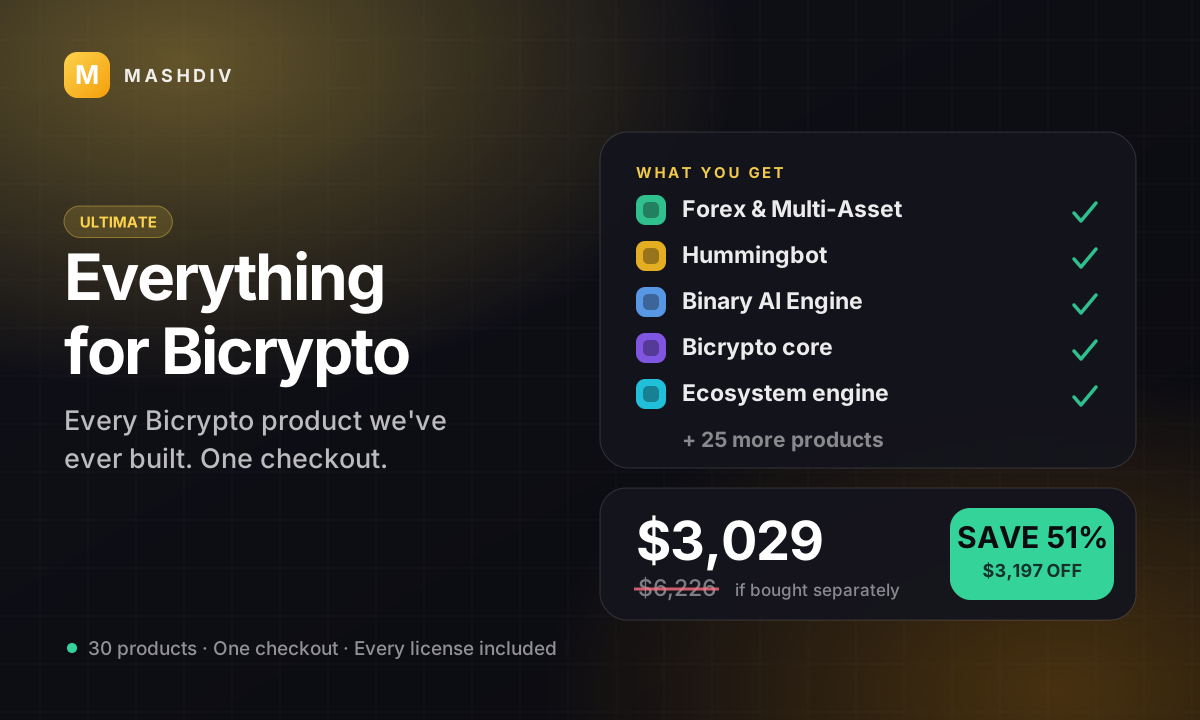
 ULTIMATE
Everything for Bicrypto
Every Bicrypto product we make — every addon, every chain, both apps, one price.
- Forex & Multi-Asset Trading
- Web3 Wallet & On-Chain Trading
- Instant Convert
- Hummingbot Connector
- + 30 more
Keep exploring
Related products

 Addon
AddonAI Investments for Bicrypto
A duration-based investment product where you set the term, the rate and the outcome — and fund it yourself.
 Addon
AddonForex Investment for Bicrypto
Run a managed forex desk: you set the plan, the term and the payout, and settlement runs itself hourly.

 Addon
AddonMLM & Affiliate System
Your members bring the next ones, and you pay commission only when a referral actually deposits or trades.